AI translation that sees your screens.
Link every text layer, translate it into any of 82 languages with the screen as context, and approve it before it ships.
Free during the beta · We let new people in every week
NewYour AI agents can localize too: MCP for Claude and CursorCheckout
By paying you agree to the terms.
Checkout
By paying you agree to the terms.
Works with the tools your team and your agents already use
- FigmaPlugin
- Claudevia MCP
- Cursorvia MCP
- Lovablevia MCP
- CrowdinSync
Why context matters
Without context, translation guesses.
A tool that only sees the words “Pay now” has to guess. Mondoword sees the checkout screen, the button, your glossary and your tone.
- Formal “Sie”, but your app speaks informally
- Too long: the button cuts it off
- ScreenCheckout
- ElementPrimary button
- ToneFriendly, informal
- Glossary12 terms
- Informal, like the rest of your app
- Button-length, checked in the canvas preview
How it works
AI does the work. You stay in control.
Every step can run on its own or be done by hand. Nothing ships until someone on your team approves it.
AI reads the frame and the text around each layer
Product
Everything a product team needs to ship more languages
Built for people who design and ship product UI. Reviewers see the real screen, not a spreadsheet row.
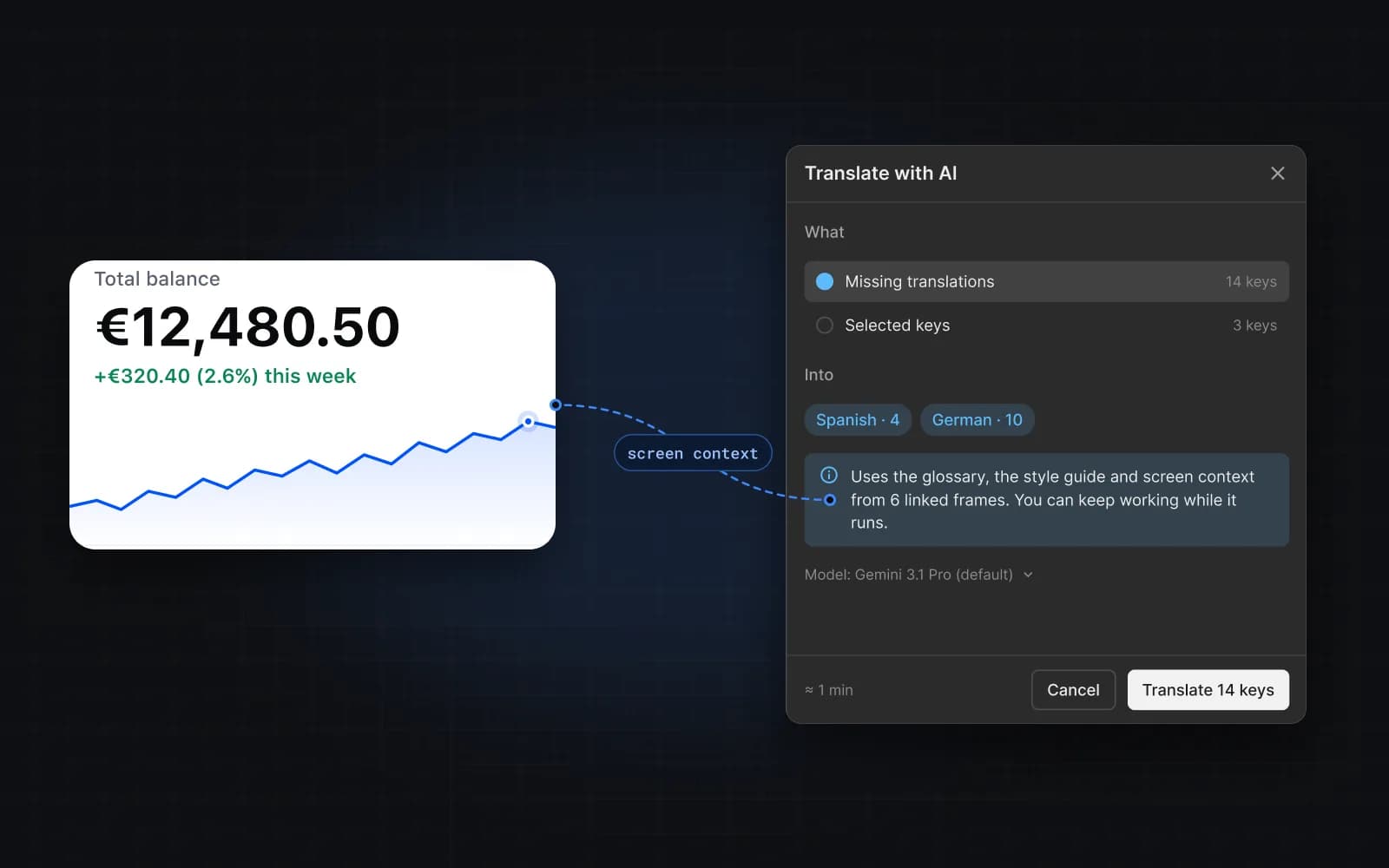
Translations that fit the screen, not just the words
Each key is translated with its frame, the element, nearby text, your glossary and your style guide. Drafts stay marked until someone accepts them.
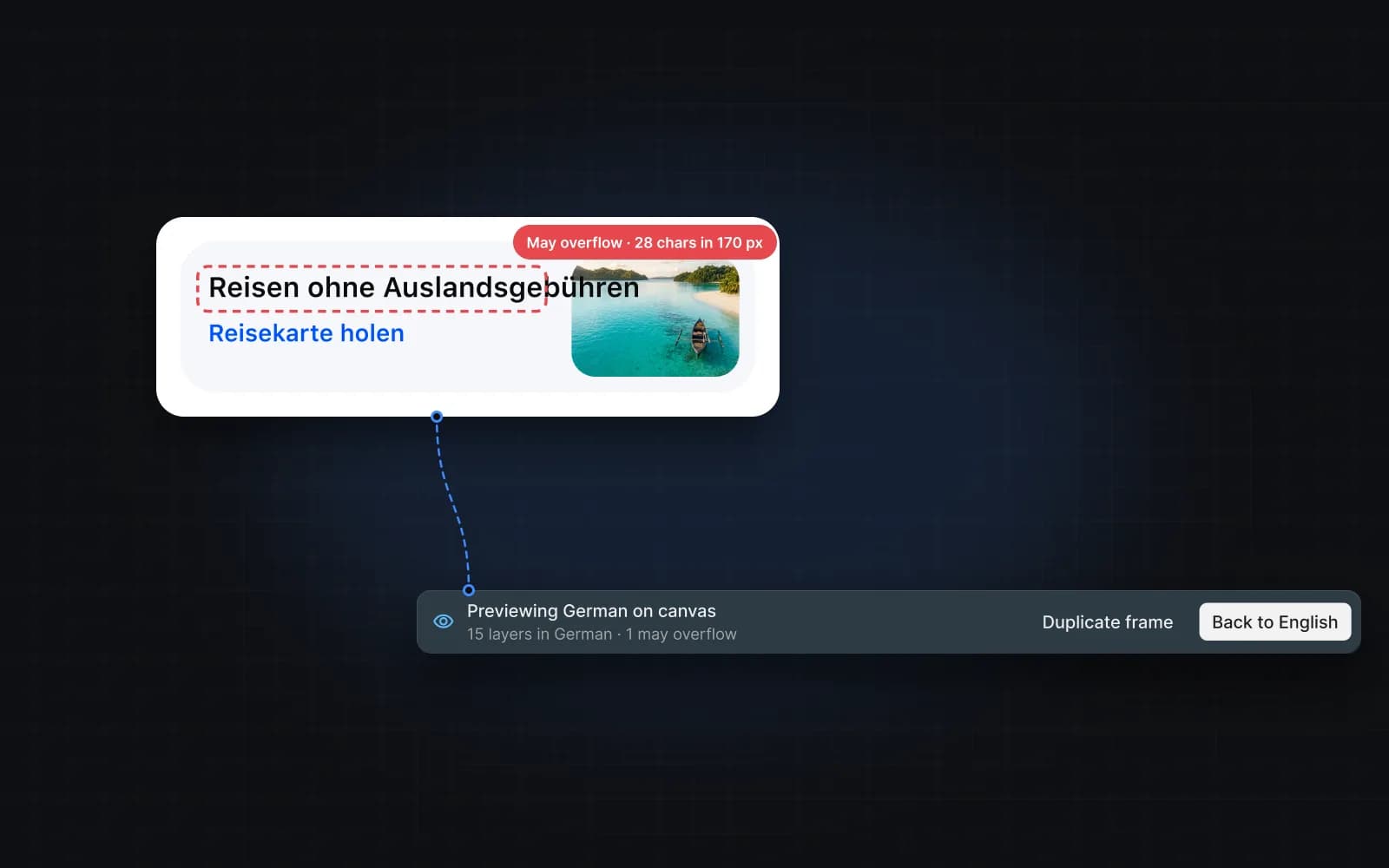
Catch overflow before developers do
Switch a frame to German or Japanese in place and see what breaks. A layer that may overflow is flagged on the canvas; back to the source in one click.
Fix inconsistent copy before it ships
Quality checks flag inconsistent terms, the wrong tone and unclear wording in key names, source text and translations, with a fix for each.
And the rest of the workflow
Crowdin sync
See what is the same, what differs and what exists on one side only, then choose per key.
Export JSON, CSV or ARB
Hand developers real files for the app, instead of text copied out of mockups.
Glossary and style guide
Brand terms, forbidden words and tone per language. The AI and your agents follow them.
Figma edits stay in sync
Keys follow copies and pastes. When a designer edits linked text, you keep the key text or take the Figma text.
82 languages
All EU languages plus the 50 most spoken beyond them, from Arabic to Vietnamese.
Spell check
A filter shows keys with spelling mistakes. Words you add to your dictionary are ignored from then on.
For AI agents
Your agents can localize too
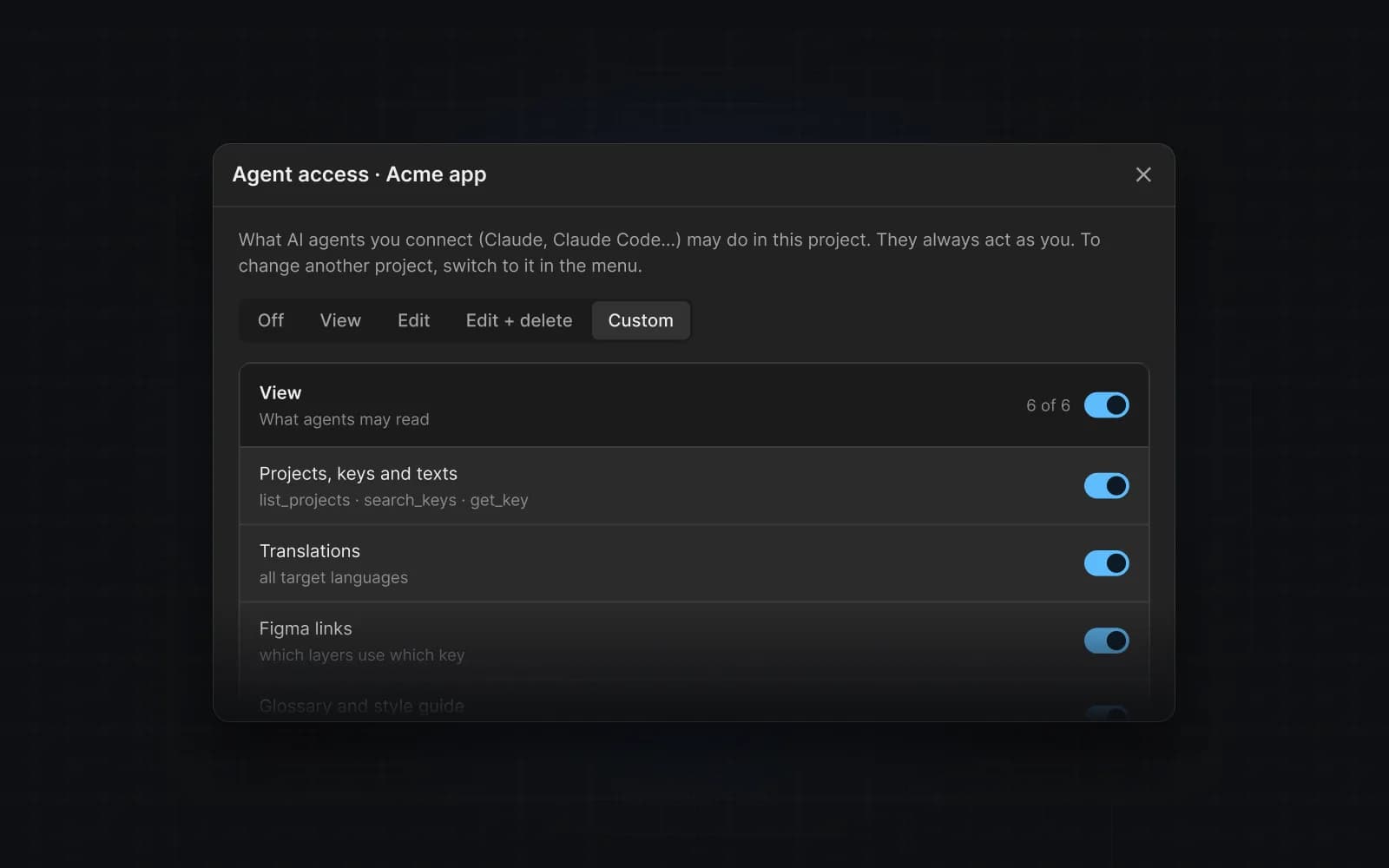
Connect Claude, Cursor and other MCP clients. Agents search keys, add strings for new screens and translate them, inside the permissions you set per project.
- Sign in with OAuth — no API keys to paste
- Per-project rights: view, edit, delete
- Every change is previewed before it is saved
- Works in Lovable, Bolt and v0 projects through MCP
Short film of an AI agent chat. The user asks: “Add Spanish and German to the checkout screen of my Lovable app. Keep “Acme Pay” untranslated.” The agent calls Mondoword: search_keys finds 12 checkout keys, get_style_guide says “Acme Pay” is not translated, and translate_keys previews 12 keys in Spanish and German. It replies that 24 translations are ready as AI drafts, “Pagar ahora” and “Jetzt zahlen”, with the glossary term kept. The user clicks Apply: 24 translations are saved as AI drafts to review in the plugin.
Use cases
One source of truth for every team that touches copy
Product designers
Design in one language, review all of them on the real screens.
Read the guideApp developers
Pull keys as JSON, CSV or ARB files — no copying text out of mockups.
Read the guideLovable & AI builders
Ship your AI-built app in ten languages with one prompt.
Read the guideClaude & ChatGPT users
Manage keys and translations from the chat you already use.
Read the guideAgencies
A project per client, a glossary per brand, hand-off to Crowdin.
Read the guideMarketing & web
Every string on this website is a key in our own Mondoword project, linked to its Figma designs.
Read the guide
Coming from Lokalise or Crowdin? See how we compare:LokaliseCrowdinPhraseTolgeeAll comparisons
Pricing
Free during the beta
Everything is free while we are in beta. Paid plans will keep unlimited seats, include a monthly AI allowance and have a spending cap that is on by default.
Beta
€0
While the beta lasts
- Figma plugin
- AI translation with glossary and style guide
- Quality checks
- MCP connector for your AI agents
After the beta
- A free plan stays
- Paid plans priced by keys, not seats
- AI usage included, with a cap you control
- We announce prices before anything changes
RoadmapA web app is next: review keys with their Figma screens, invite reviewers per language and set agent access, without opening Figma.
FAQ
Questions people ask before they start
Do my designs have to live in Figma?
No. Figma is where linking and previews shine, but you can import JSON, CSV or ARB files, or let an AI agent add keys while it builds your app.
Which languages does the AI support?
82 languages: every EU language, plus the 50 most spoken languages beyond the EU, such as Chinese, Hindi, Arabic, Japanese, Turkish and Ukrainian. Right-to-left languages like Arabic and Hebrew are included. Your glossary and style guide apply to every one of them.
See how →Do you store screenshots of my designs?
No. We keep only the text, the key and where the layer sits. Previews come from Figma itself.
Can I bring my existing keys?
Yes — import JSON, CSV or Flutter ARB files, or connect Crowdin and bring your keys and translations over.
See how →How do AI agents get access?
Through our MCP connector with OAuth. You choose per project what an agent may view, edit or delete.
See how →Is my text used to train AI?
No. To translate, we send text to Anthropic's Claude API and Google's Gemini API under their paid API terms. Anthropic's commercial terms don't allow it to train models on what we send, and Google doesn't use prompts or responses from the paid Gemini API to improve its products. We don't train models on your text either.
Where is my data stored?
In the EU. Your keys, translations and glossaries are stored in a Neon Postgres database in Frankfurt, Germany, and our production servers run on Google Cloud Run in Belgium. Text you send for translation is processed by Anthropic or Google in the United States. Our Security page has the details.
What happens after the beta?
A free plan stays. Paid plans will be priced by keys, not seats: unlimited seats, a monthly AI allowance included, and a spending cap that is on by default. We announce prices before anything changes.
Can I export everything and leave?
Yes. Export your keys and translations in every language as JSON, CSV or Flutter ARB files at any time, AI drafts included, or sync them to a Crowdin project. Glossaries and style guides have no file export yet, but an AI agent can read them through the MCP connector.
See how →Translate your first screen in five minutes
Sign up free and we let you in from the list — new people every week. Then it takes five minutes: install the plugin, sign in with Google, link a frame and translate it.
- 1Sign up free — it takes 30 seconds
- 2Get your invite by email
- 3Install the plugin, link a frame and translate
Free during the beta · We let new people in every week