Review AI drafts
Updated 2026-10-30 · 1 min read
Accept AI translations one by one or all at once.
In the Translate tab, a cell with a small blue dot is an AI draft that nobody has accepted yet. Hover it to see Accept (✓).
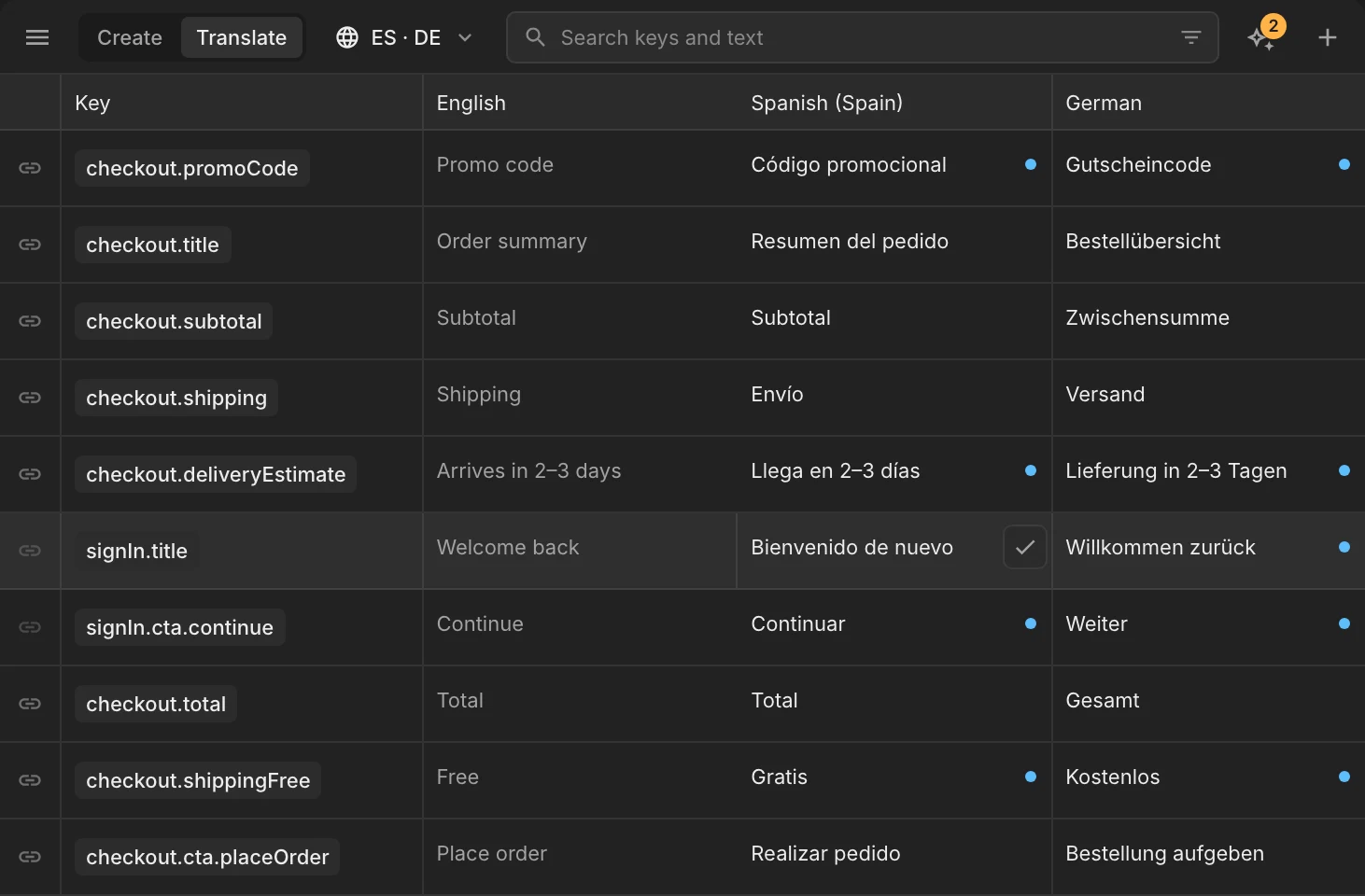
Review mode
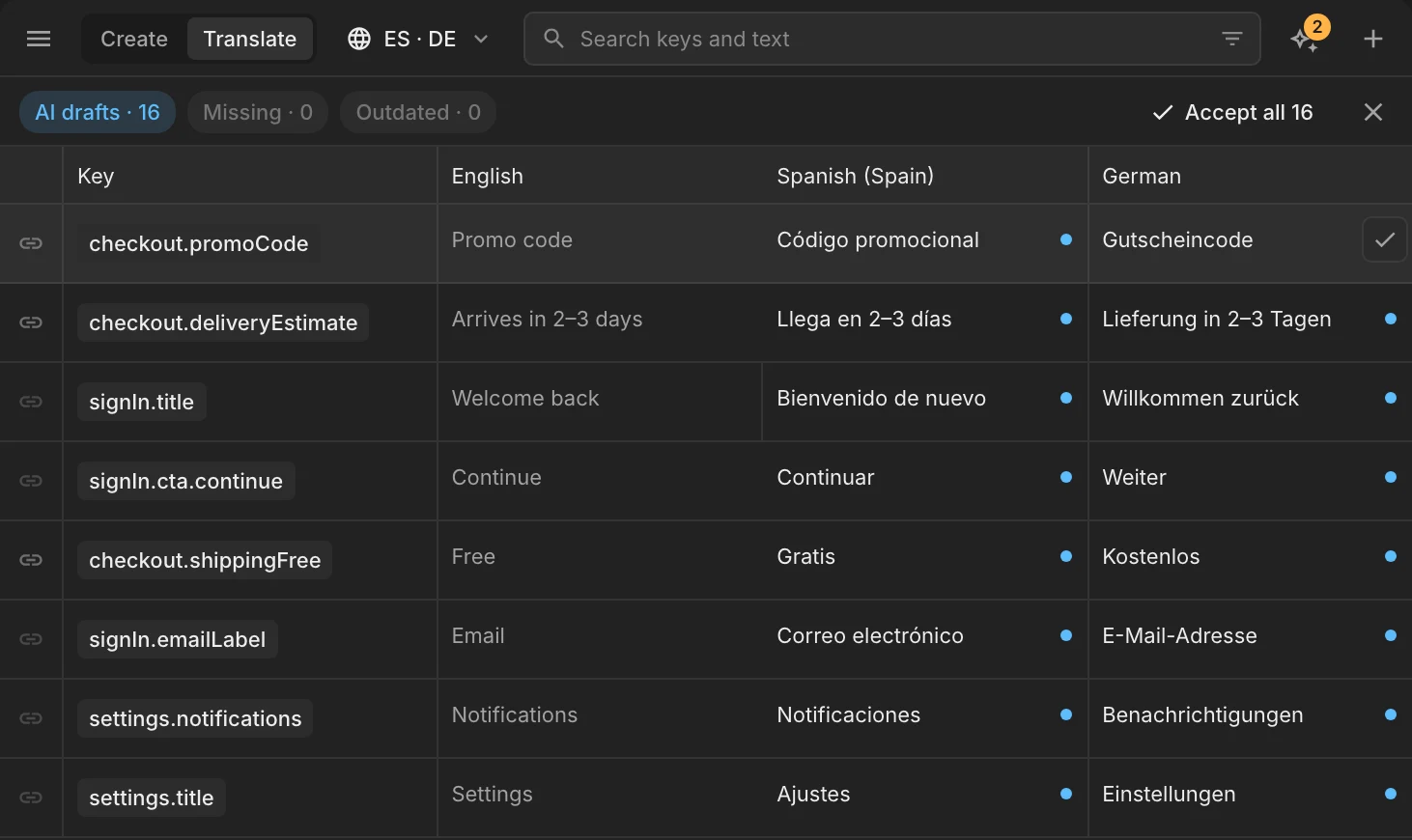
Open ✦ › Review AI translations (the number shows how many drafts are waiting). The list filters to drafts, with a review bar on top:
- Accept a cell with ✓, or edit it first and then accept.
- Accept all accepts every draft in the current filter. Undo is offered right after.
- Close the bar with ✕ to leave review mode.
Tab moves to the next language while you edit a cell.
Was this helpful?