Create keys and auto-link a frame
Updated 2026-10-30 · 1 min read
Make keys from layers, or link a whole frame at once.
Create a key from a layer
Select one text layer and press + in the toolbar. The Create key form opens with:
- a key name suggested from the frame and the text (it follows your project's naming convention),
- the layer's text as the source text,
- an optional description that helps translators and the AI.
Create it, and the layer is linked to the new key.
Several layers or a whole frame
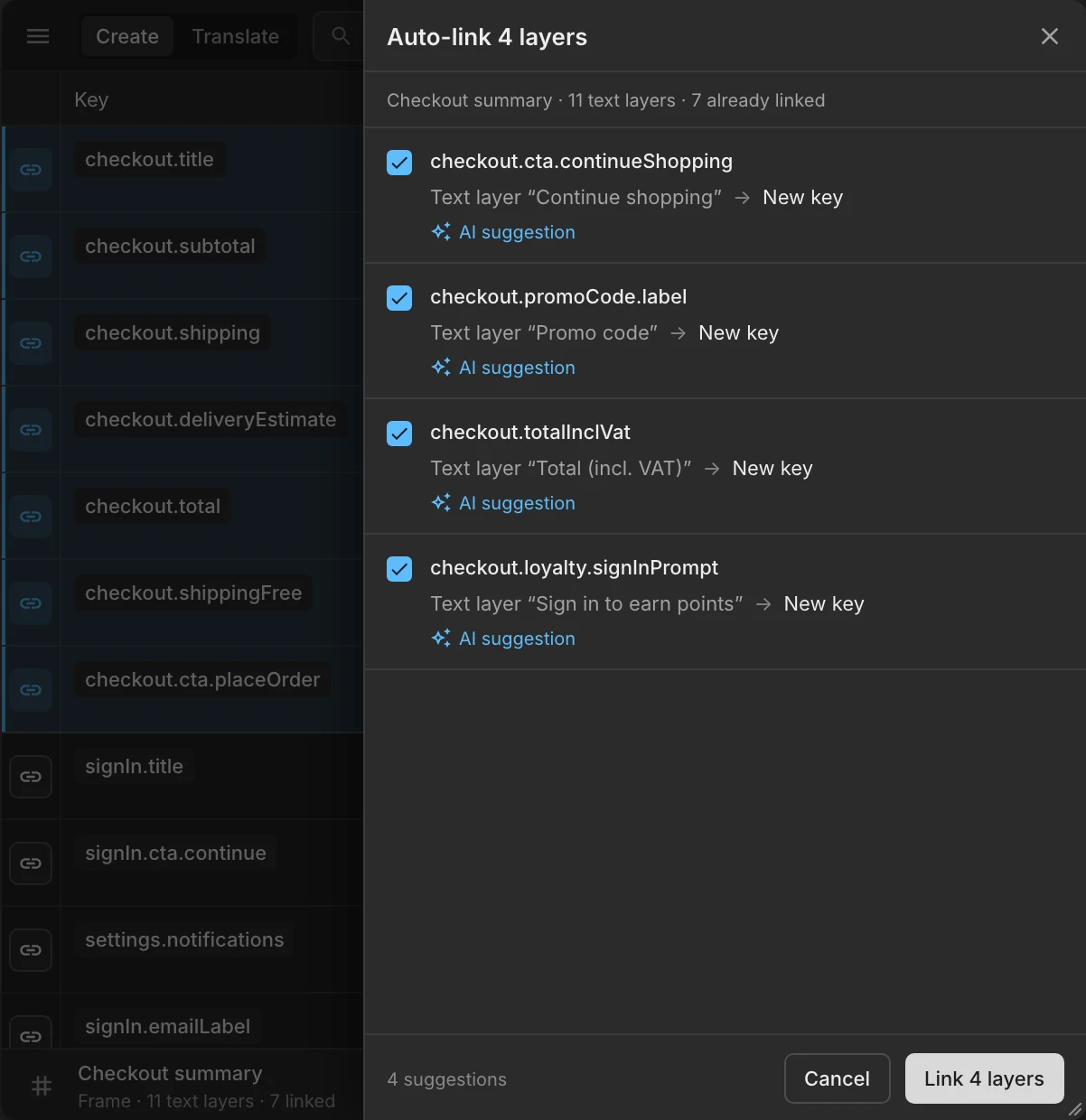
Select several layers, or a frame. A bar appears at the bottom of the plugin with the counts (text layers, linked, not linked) and the actions:
- Auto-link links layers whose text matches the source text of an existing key exactly (case-sensitive). You review the matches before anything is applied.
- Create keys makes keys for the layers that are not linked yet, with suggested names you can edit.
Was this helpful?