Anomalies
Updated 2026-10-22 · 1 min read
Find inconsistent terms, the wrong tone and unclear wording — and fix them.
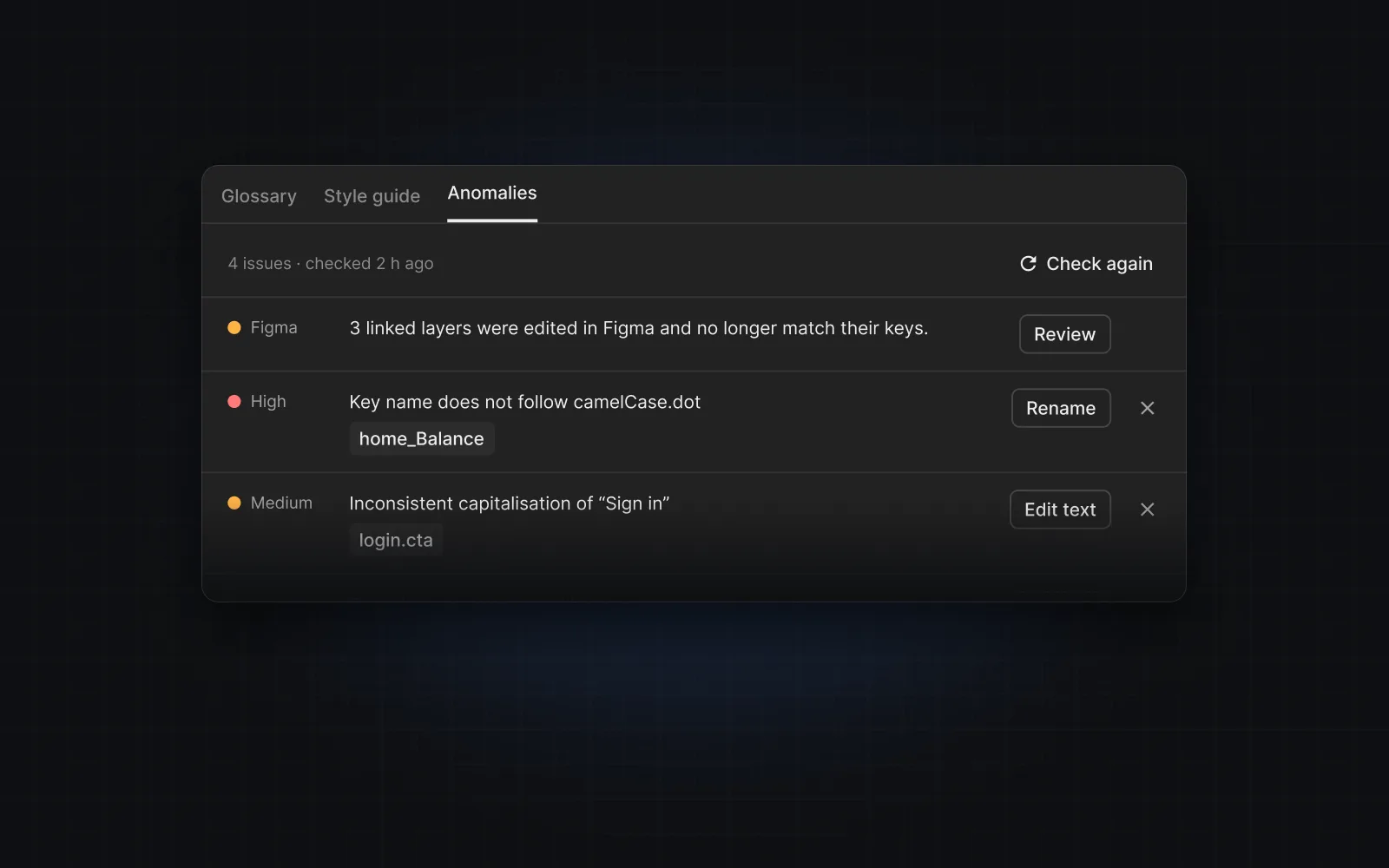
Anomalies are problems found across a project: in key names, in the source text and in translations. Open ✦ › Anomalies (the badge on ✦ shows the count).
Where they come from
- Running the style guide (✦ › Style guide › Run style guide) reviews the project and lists what it finds.
- An AI agent you connected can record anomalies while it works.
- Layers edited in Figma show up as a Figma row — see Review text edited in Figma.
Each row
Severity (high, medium, low), what is wrong, the key, and a fix button for that kind of issue:
- Rename for key-naming issues — opens the key name for editing.
- Edit text for source-text issues — opens the source text.
- Edit translation for a translation issue — switches to the Translate tab and opens that language.
✕ dismisses an issue (with Undo). Check again reloads the list.
Was this helpful?